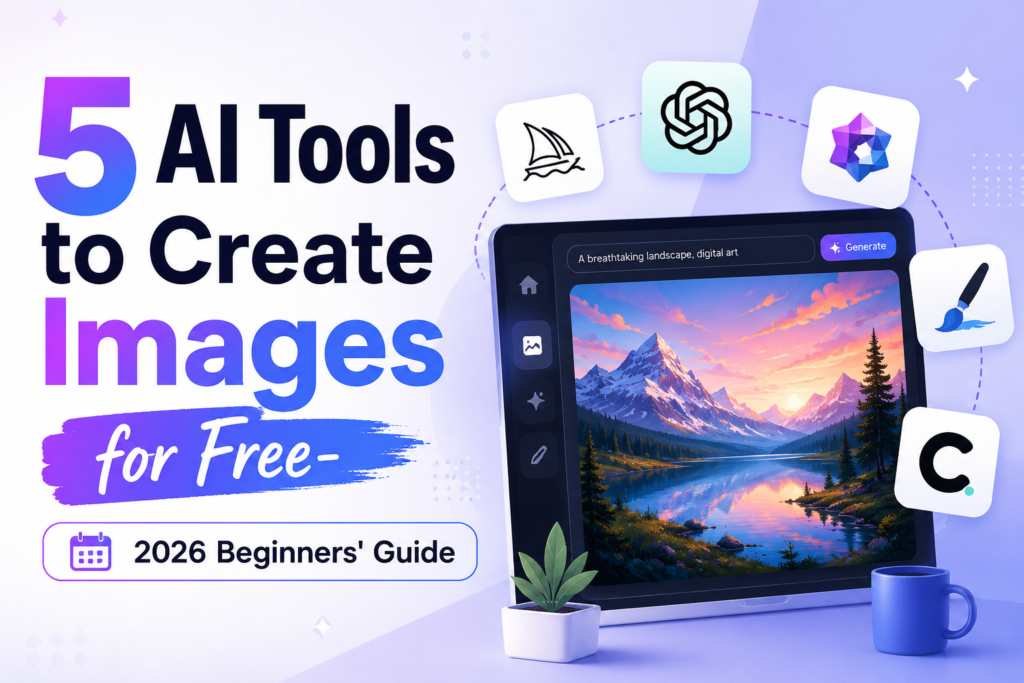

Creating stunning visuals used to mean expensive software, stock photo subscriptions, or hiring a designer. Not anymore. AI image generation has exploded — and the best part? Some of the most powerful tools are completely free to use.
In this post, I tested and reviewed 5 of the best free AI image generators available right now: Canva AI, Leonardo AI, Ideogram, Microsoft Designer, and DALL-E 3. Whether you’re a blogger, content creator, small business owner, or just AI-curious, this guide will help you pick the right tool for the job.
Why Use AI Image Generators?
Visual content drives engagement. Posts with images get significantly more clicks, shares, and time-on-page than text-only content. But sourcing quality visuals is a real challenge — stock photos feel generic, custom photography is expensive, and design tools have a steep learning curve.
AI image generators solve all three problems. You describe what you want in plain language, and the tool creates it in seconds. No design skills needed. No licensing headaches. No waiting.
1. Canva AI
Best for: Quick, polished social media graphics and marketing visuals
Canva has been a go-to design tool for non-designers for years, and their AI image generator fits naturally into that experience. If you already use Canva for your social media graphics, blog banners, or presentations, the AI feature is already built right in.
How it works
Inside the Canva editor, you can access the AI image generator through the “Apps” panel. Type a text prompt describing the image you want, choose a style, and hit generate. Within seconds, you get four image options to choose from.
What it’s good at
Canva AI shines when you need clean, polished visuals fast. It’s particularly strong at generating lifestyle images, backgrounds, and graphics that look professionally designed. The results integrate directly into your Canva projects, so you can resize, add text, and customize without ever leaving the platform.
Best use cases
- Blog header images
- Social media posts
- Presentation slides
- Marketing flyers
2. Leonardo AI
Best for: High-quality artistic and detailed images
If Canva AI is the beginner-friendly option, Leonardo AI is the creative powerhouse. Originally built with game developers and digital artists in mind, Leonardo produces some of the most visually impressive results of any free AI image tool.
How it works
Leonardo AI has a web-based platform where you create a free account and start generating immediately. The interface is more detailed — you can choose from dozens of fine-tuned AI models, each with its own aesthetic style, and adjust settings like image dimensions and guidance scale.
What it’s good at
Leonardo excels at detailed, artistic imagery — fantasy art, character illustrations, concept art, stylized portraits, and cinematic scenes. It also has an Image Guidance feature where you upload a reference image and the AI generates something in a similar style.
Best use cases
- Blog illustrations
- Creative and artistic content
- Fantasy or sci-fi themed visuals
- Consistent character or style across a series
3. Ideogram
Best for: Images that include readable text
Here’s the dirty secret of AI image generation: most tools are terrible at putting text inside images. Ask DALL-E, Midjourney, or Stable Diffusion to create an image with words on it, and you’ll typically get gibberish, misspellings, or distorted lettering. Ideogram is the exception.
How it works
Ideogram is a web-based tool with a clean, minimal interface. Type your prompt, choose a style, and generate. What makes it different is how it handles typography — it can render readable, accurate text inside generated images far better than any other free tool.
Best use cases
- Quote graphics for Instagram and Pinterest
- Blog post thumbnails with text
- Event posters and announcements
- Product mockups
4. Microsoft Designer
Best for: Beginners and Microsoft ecosystem users
Microsoft Designer is Microsoft’s answer to Canva — a design tool powered by AI, built for everyday users who need professional-looking visuals without design expertise. It uses DALL-E technology under the hood and is tightly integrated with Microsoft’s suite of products.
How it works
You can access Microsoft Designer through the web at designer.microsoft.com or through Microsoft 365 apps. The experience is guided and user-friendly — you describe what you want, and Designer generates both the image and a complete design layout automatically.
Best use cases
- Social media content creation
- Email newsletters and headers
- PowerPoint presentations
- Office and workplace content
5. DALL-E 3
Best for: Following complex, detailed, and nuanced prompts
DALL-E 3 is OpenAI’s flagship image model, and it’s the most capable at understanding and following complex, detailed prompts. If you’ve ever tried to describe something very specific to an AI image tool and been frustrated by how far off the result was — DALL-E 3 is the upgrade.
How it works
The easiest free way to access DALL-E 3 is through Microsoft Bing Image Creator (Copilot Designer), which is completely free. You can also access it through ChatGPT, though the free tier has generation limits.
Best use cases
- Highly specific or complex visual concepts
- Photorealistic images
- Conceptual and abstract art
- Any prompt that requires precise interpretation
Which Tool Should You Use?
The honest answer: it depends on what you’re making.
- Just getting started? Begin with Canva AI or Microsoft Designer. Both are intuitive and won’t overwhelm you with settings.
- Making artistic or creative content? Leonardo AI will give you the most impressive results and the most creative control.
- Need text in your image? Ideogram is the clear winner — no other free tool comes close.
- Writing very detailed prompts? DALL-E 3 is your best friend. It understands nuance better than the rest.
The good news is all five are free, so there’s no cost to trying them all and finding your personal favourite.
Tips for Better Results
Here are a few prompt-writing tips that work across all these tools:
- Be specific. “A woman drinking coffee” gives generic results. Describe lighting, setting, style, and mood for usable results.
- Mention a style. Words like “cinematic”, “editorial”, “watercolour”, or “flat illustration” steer the output dramatically.
- Specify what you don’t want. Use negative prompts to remove blurry results, extra limbs, watermarks, or cluttered backgrounds.
- Iterate. Your first generation is rarely your final one. Treat it as a starting point and refine from there.
Final Thoughts
AI image generation has genuinely levelled the playing field for content creators. You no longer need a design budget or technical skills to produce professional-quality visuals. With tools like Canva AI, Leonardo AI, Ideogram, Microsoft Designer, and DALL-E 3, compelling imagery is just a prompt away — and it’s free.
Bookmark this post, try each tool at least once, and find the combination that fits your workflow. The best AI image tool is the one you actually use.

Pingback: Vibe Coding vs Traditional Coding: What’s the Real Difference? - JustAIguide