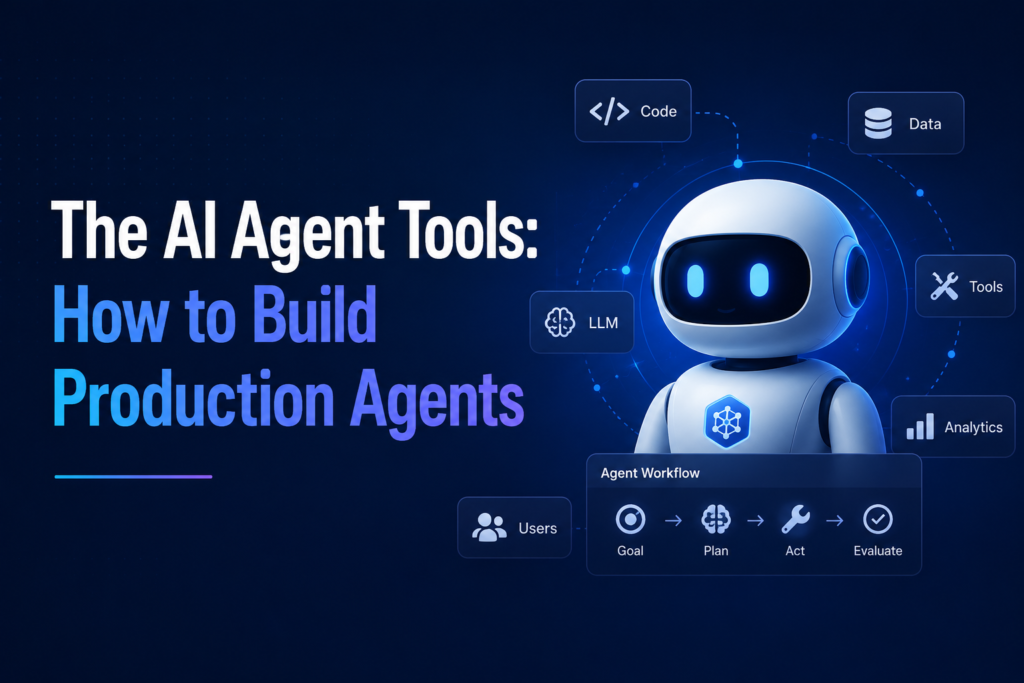

This AI is not like simple AI assistants that need a new command for every single step, constantly asking what to do next. Strands Agents works differently. You give it just one instruction at the very start, telling it what you want done, and it completes the entire task on its own from there, without needing a new command for each step along the way.
The 3 Building Blocks of an AI Agent
To build one of these AI agents, you actually only need 3 basic things:
- Model, the AI’s brain, how it thinks and reasons through problems.
- Tools, the actual abilities you give the AI, things like searching the web, solving math problems, writing code, or answering questions.
- Prompt, the one instruction you give the AI at the very start, telling it what its role is and what it’s supposed to do.
Once these 3 things are combined, the AI agent can complete real tasks on its own, after just that one initial instruction, without needing a new command for every single step along the way.
Why Testing Matters Before Going Live
Before any AI agent goes out for real, public use, it needs to be tested first, on the developer’s own computer. This step matters because there might be problems hidden in the program that aren’t obvious right away. Testing first is basically a safety check, making sure the AI agent actually works correctly and won’t cause issues once real people start using it. Skipping this step could mean releasing something broken directly to real users, which could lead to wrong answers, incomplete tasks, or even costly mistakes for a business. Perhaps even worse, skipping this step could cause a company to lose the trust of their customers, since once people experience something broken or unreliable, they may hesitate to trust that company’s product again.
Real Results That Surprised Me
Honestly, these results genuinely surprised me. Nowadays, time matters more than almost anything else in our lives. This invention is playing a significant role in completing work and tasks in far less time than before. A whole month of work being reduced to just 10 days, and 30 minutes of investigation reduced to only 45 seconds, that’s genuinely impressive. It shows that AI agents like Strands aren’t just a technical improvement, they’re actually changing how quickly real work can get done, which matters to almost everyone, not just developers.
Strands Versus LangChain
It’s also worth knowing that Strands isn’t the only tool of its kind. LangChain is another popular option that developers use to build AI agents. From what I’ve learned, the two have different strengths:
- LangChain is older and more established, making it better suited for complex projects that need a highly flexible, customizable platform.
- Strands is newer and currently more advanced for speed, designed specifically to help developers work faster and get production-ready results quickly.
Choosing between them really depends on what a developer actually needs, maximum flexibility, or maximum speed.
Who Should Actually Use Each One
So who should actually try using these tools? Based on everything we’ve learned, Strands makes the most sense for companies who want to manage their work and complete tasks in much less time, just like the real results we saw earlier, months of work reduced to days. It also makes sense for experienced developers, since their existing experience makes it easier for them to use Strands properly and get the most out of it.
LangChain, on the other hand, makes more sense for someone who wants flexibility in their work, especially for mega projects with a lot of moving parts and custom requirements. If a project is large and complex enough that it needs to be shaped in very specific, custom ways, LangChain’s larger community and flexibility give it the edge.
Is It Actually Free?
A genuinely important point worth knowing is that Strands itself is completely free to use. It’s open source under something called the Apache 2.0 License, which means anyone can use it for personal or business projects without paying any licensing fees. The same is true for LangChain, too; both toolkits themselves cost nothing. However, there’s a catch worth understanding. While the toolkit is free, you still have to pay for the actual AI model you connect it to, like Claude or GPT, based on how much you use it. Think of it like a free recipe book. The recipes themselves don’t cost anything, but the ingredients you actually cook with still cost money based on how much you use.
My Honest Final Takeaway
After learning all of this, here’s my honest final takeaway. There are many AI assistants, such as Strands and LangChain, designed to help humans complete their work more easily and quickly. The key point to remember is that these tools are free; anyone can use them and take advantage of them. But this benefit only works properly if people use these tools for the right purposes. If used responsibly, AI agents like these can genuinely make our work faster, easier, and more efficient. But if misused, the same powerful tools could create real troubles for us instead of solving them. The responsibility ultimately comes back to the person using the tool, not the tool itself.